User Manual Post Operations
- Dashboard
- Customers
- Providers
- Scheduling
- Accounting
- Post Operations
- Organization

Add Customer Feedback
How to enter customer feedback?
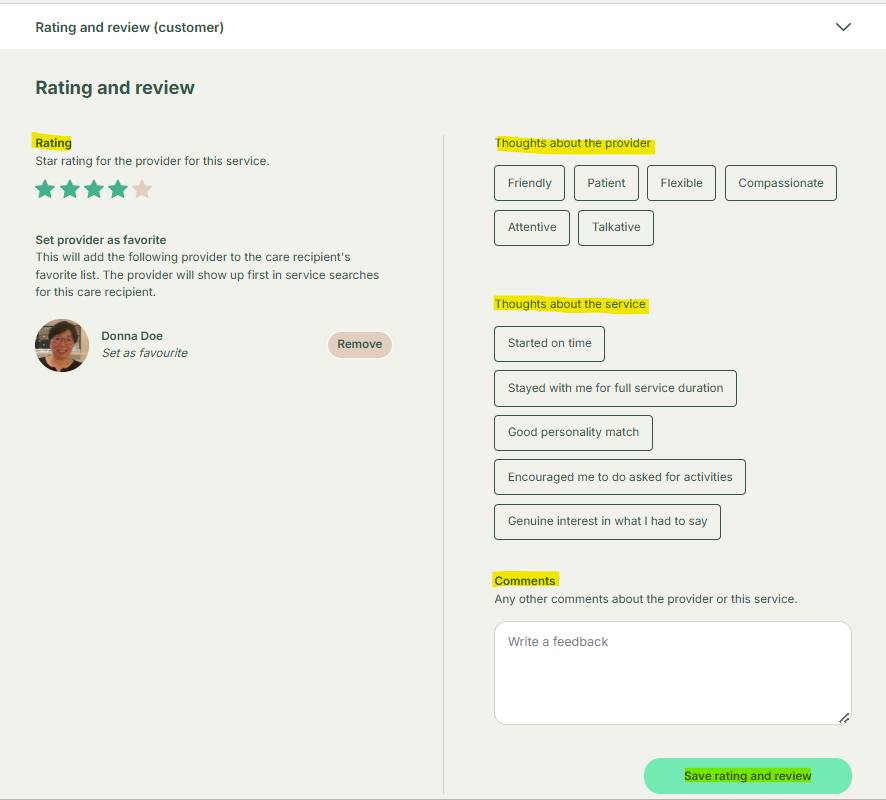
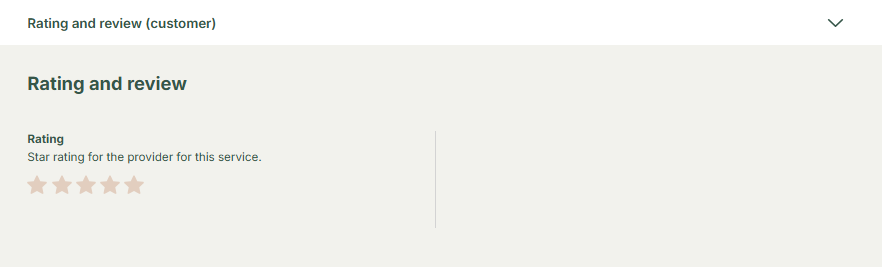
To edit customer feedback, stay on the Booking Detailed Screen and scroll to the Rating & Review section. If the customer requests assistance, enter feedback on their behalf, including Service Feedback to describe the overall service experience and Provider Feedback to evaluate the provider’s performance. You can also add the provider to the customer’s favorites if needed. Once all details are filled in, click Save Rating & Review to save the feedback.
Step 1
Stay on the Booking Detailed Screen and scroll to the Rating & Review section.

Step 2
Customer’s Feedback: If the customer requests assistance, enter feedback on their behalf:
- Service Feedback: Leave comments on the overall service experience.
- Provider Feedback: Describe the provider’s performance.
- Favorite provider addition:
- PROVIDE ADDITIONAL INSTRUSTION HERE AND FIELDS